

Curious how a small control can cut your home’s energy bills and lift comfort in North and West Vancouver? We guide homeowners and business owners through the clear, practical steps to choose and install the right device for your system.
We explain compatibility with heating and cooling equipment, how sensors improve air balance, and the simple safety checks to perform before you work on the unit. Our approach is hands‑on and data‑driven, so you can make confident choices or call for help.
We discuss smart thermostats and classic controls, local climate tips for Vancouver, and ways to trim energy use without sacrificing comfort. If you want fast help today, call Lord Mechanical LTD at 6046703737. We serve North Vancouver and West Vancouver and can complete the job safely and efficiently.
Key Takeaways
- We show a clear, step‑by‑step guide to assess your home or commercial system.
- Upgrading can improve comfort and reduce energy costs in Vancouver’s mild climate.
- Smart thermostats add remote control, sensors and automation for better temperature control.
- Safety matters: power off, label wires, and verify compatibility before you touch the unit.
- Call Lord Mechanical LTD at 6046703737 for fast, licensed service in North and West Vancouver.
Why replace your thermostat in Vancouver right now
We recommend acting now if you want steady savings and better comfort in local homes and businesses.
Energy savings in a heating-cooling climate
Modern controls cut wasted run‑time by matching heating and cooling to when spaces are occupied. Ecobee reports select customers saved up to 23% on heating and cooling costs, about $342 CAD a year for typical energy spend. That matters in Vancouver’s mild but variable climate where small adjustments add up.
Comfort, control, and smart home readiness
You gain precise temperature control and improved air management for each room. That stabilises comfort in both single homes and multi‑room commercial spaces.
- Smart schedules and presence sensing reduce after‑hours run‑time for businesses.
- Remote app access trims unnecessary system use before you arrive.
- Better sensors and humidity features let you lower setpoints without feeling colder.
For expert advice or to book service in North and West Vancouver, call Lord Mechanical LTD at 6046703737.
Thermostat replacement
We present a clear, safety‑first guide for swapping your control so it works with your heating and cooling system from the start.
Quick flow: turn power off at the breaker, remove the faceplate, label and disconnect wires, mount the new base, attach labelled terminals (R, G, Y, W, C), secure the face, power on and configure.
What this means for your home: a correct install prevents short cycling, protects equipment and keeps air delivery balanced. You also get better energy control and consistent temperature across rooms.
- Check compatibility before you buy so the new unit matches your system type.
- Mount at eye level, away from drafts, direct sun and vents to avoid skewed readings.
- Run the built‑in equipment test: call for heat, then cool, verify fan and stage operation.
Complex setups — heat pumps, multi‑stage units or integrated sensors — may need professional commissioning. For a no‑stress install or advanced system tuning, call Lord Mechanical LTD at 6046703737. We serve North Vancouver and West Vancouver and can complete the job safely and efficiently.
Choosing the right new thermostat for your home or business
A good control blends sensor readings, simple automation and correct wiring to cut energy waste and stabilise comfort. We guide you through clear choices so the device fits your heating and cooling system and daily habits.
Programmable vs. smart: which suits your system?
Programmable units follow schedules. They are simple and reliable for basic energy savings.
Smart models add learning, app control and remote sensors. These features help many smart thermostats adapt to occupancy and reduce run time.
Top models in Canada
- Ecobee Smart Thermostat Premium: air quality monitoring, remote sensor included.
- Nest Learning Thermostat: Eco modes and presence sensing; can work without a C‑wire.
- Honeywell Home T10: integrates with whole‑home IAQ devices.
- Amazon Smart Thermostat: affordable with Alexa features.
- Sensi Touch 2: clear touchscreen and simple controls.
Compatibility and must‑compare features
Check wiring for a C‑wire, verify multi‑stage heat or heat pump logic, and confirm fan control options. Older furnaces or mixed systems need careful matching.
Important features: remote sensors to fix hot spots, humidity and indoor air quality tools, app and voice support, and business locks or schedule profiles to prevent tampering.
If you need help choosing a model that fits your system, call Lord Mechanical LTD at 6046703737 for expert advice and a warrantied install in North and West Vancouver.
Smart thermostat essentials for Canadian climates
In Vancouver’s damp, mild climate, smart controls make comfort simpler and energy use lower by reacting to presence and humidity.
We focus on practical features that matter for your home or business. Presence sensing and geofencing adjust the setpoint when people leave or arrive. That limits unnecessary run‑time and saves energy day to day.
Key capabilities:
- Schedules and learning modes refine temperature patterns for weekdays and weekends.
- Built‑in voice on some models (Ecobee Smart Thermostat Premium) lets you use Alexa or optional Siri hands‑free.
- Google Home, Honeywell and Sensi integrations give consistent app and voice control for an existing ecosystem.
- Satellite sensors target rooms in use so the system treats occupied spaces, not empty zones.
- Humidity awareness helps manage comfort without over‑heating or over‑cooling, improving indoor air quality.
Many smart thermostats also send usage reports and filter alerts via the app. These tips make it easier to spot waste and keep your equipment healthy. If you want help choosing or linking devices for North or West Vancouver, call Lord Mechanical LTD at 6046703737.
Tools and safety prep before you start
Before you touch any wires, follow a few simple checks to protect equipment and people. We stress prep so the job goes smoothly and your home system stays safe.
Turn power off at the breaker and verify
Cut power at both the furnace and A/C breakers. Then check the old control by moving the setpoint to confirm the air and fan do not start. If anything still powers up, stop and call for help.
Take a picture and label terminals
Take a clear picture of the wiring before you loosen any screws. Label each conductor to match the terminal letters. This picture becomes your reference when you install smart thermostat hardware.
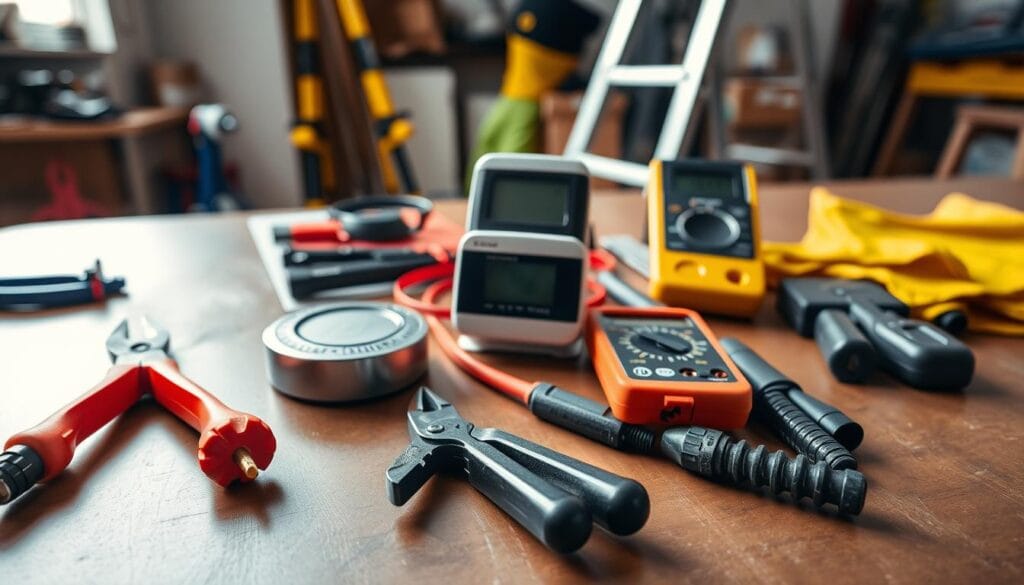
What you’ll need
- Small screwdriver for terminal clamps.
- Wall anchors, screws and the correct backplate or faceplate.
- A level to ensure the unit sits straight and reads temperature correctly.
- Tape to hold wires so they don’t slip into the wall.
Keep the work area tidy and inspect wire insulation. If wires look brittle or connections seem non‑standard, pause and call Lord Mechanical LTD at 6046703737 for safe support in North and West Vancouver. Solid prep saves time and improves energy and temperature control once the new control is active.
Step‑by‑step: removing the old thermostat
Start methodically to protect wiring, wall finish and the rest of the system. Cut power, gather a screwdriver, tape and your phone for a quick picture.
Remove the faceplate carefully. Gently pull off the housing and watch for clips so you don’t crack the case. Confirm power is still off before you touch any metal.
Disconnect wires without letting them slip into the wall. Loosen terminals one at a time with the screwdriver. Label each conductor as you remove it and secure the leads with tape so they stay visible.
Take a clear picture of the connections and note any jumpers or non‑standard links. This makes re‑installation and app pairing much faster.
Take off the old mount and clean the surface. Unscrew the base and collect anchors and screws so nothing falls into the cavity. Wipe dust outlines away so the new unit sits flat and reads temperature and air properly.
- Inspect wires for corrosion or damaged insulation; replace or call us if unsure.
- If the wiring looks unfamiliar, call Lord Mechanical LTD at 6046703737 to finish the job neatly in North and West Vancouver.
Step‑by‑step: installing the new thermostat
Follow these step‑by‑step mounting and wiring checks to get your new control seated and powering your HVAC reliably. We keep each step short so you can verify before moving on.
Attach the new mount and level it. Hold the base against the wall, mark holes and fit anchors if the drywall needs support. Pull the labelled wires through the mount opening so they sit neatly behind the base.
Connect wires to the labelled terminals (R, G, Y, W, C). Match your photo and labels before you touch anything. R = power, G = fan, Y = cooling, W = heating, C = common. Use the clamp or screw per the manufacturer and trim no more insulation than needed.
Check that low‑voltage wires are not nicked or pinched. After wiring, gently tug each conductor so you’re sure it’s seated.
Secure the faceplate and make sure it’s seated. Snap or screw the outer cover until it sits flush. Confirm the unit looks level and the internal sensor can read room temperature accurately.
“Finish the manufacturer test and keep packaging until heating and cooling both run correctly.”
If you feel unsure at any point, call Lord Mechanical LTD at 6046703737 for a professional install in North Vancouver and West Vancouver.
Power back on and initial configuration
Bring the breakers back online and use the on‑screen setup to map your equipment and fan behaviour.
Restore power to the furnace and A/C breakers, then watch the display as the unit boots and checks connections. If the screen stays dark, reseat the faceplate firmly and confirm breakers are on; a solid click usually means good contact.
Restore power and follow on‑screen setup
Step through the prompts to identify your system type, stages and fan logic. The prompts let the control match its control algorithm to your actual hardware.
- Confirm R, G, Y, W and C are detected on the display.
- Select single‑stage, multi‑stage or heat pump when asked.
- Save basic safety limits and temperature units before running tests.
Adjust settings for heating, cooling, and fan modes
Run quick tests for heating, cooling and fan to confirm correct wiring and response. Listen for unusual sounds and stop if you detect smells or rapid cycling.
“Finish the manufacturer test sequence and verify heat, cool and fan operation before pairing the app.”
Adjust display brightness, set temperature differentials, and enable fan circulation or air cleaning cycles if the unit supports them. Save the initial profile, then pair the app so you can monitor energy use and temperature from your phone.
| Step | What to check | Expected result |
|---|---|---|
| Power on | Display and faceplate seating | Screen boots; no blank display |
| Equipment prompts | System type and stages | Correct stage selection; fan logic set |
| Functional test | Heat, cool, fan cycles | System responds without odd noises |
If error codes appear, power down and recheck wiring before trying again. Keep the manual near you; brand steps often include sensor pairing and Wi‑Fi setup. If commissioning stalls, call Lord Mechanical LTD at 6046703737 for on‑site support in North Vancouver and West Vancouver.
Connecting the app and smart home platforms
Linking your new control to its app and home speakers makes remote management simple and reliable. We recommend completing the app pairing and Wi‑Fi setup before you fine‑tune schedules or share access.
Pairing with phone apps and Wi‑Fi
First, connect the device to your Wi‑Fi and open the companion app on your phone. Follow the on‑screen prompts to name the unit, select the system type and confirm temperature sensors.
Why this matters: the app enables remote control, alerts and automatic software updates that keep air and energy performance optimal.
Alexa, Google Home, and Siri integrations in Canada
Enable the platform integration you prefer—Alexa, Google Home (Gemini) or Siri—so voice commands and routines work across devices.
- Ecobee Smart Thermostat Premium supports built‑in Alexa and optional Siri, so you may not need a separate speaker.
- Amazon Smart Thermostat uses Alexa “hunches”; an Echo Dot can act as an extra room sensor.
- Most Nest, Sensi and Honeywell models integrate with Google Home and Alexa for consistent voice control.
Remote control tips for multi‑user households
Set up multi‑user access and define app permissions so staff or family can make changes without conflicting overrides. Use activity logs to track who changed settings and when.
Pro tips: enable geofencing for multiple phones to avoid premature away mode and create platform routines (e.g., “Goodnight”) to standardise comfort and save energy.
“If you’d like us to connect your platforms and optimise routines, call 6046703737 and we’ll configure it end‑to‑end.”
Dialling in comfort: schedules, temperature, and humidity
Small tuning changes to schedules and sensor placement can cut energy use and lift comfort in a single afternoon. We show practical steps you can test quickly to balance comfort and efficiency in your home or office.
Create energy‑smart schedules for weekdays and weekends
Match run times to occupancy. Set weekday and weekend profiles so the system lowers output while spaces are empty. Use small setbacks overnight and during work hours to save energy without noticeable loss of comfort.
Use remote sensors to fix hot and cold spots
Place wireless sensors in problem rooms. Many smart thermostat models, including the Ecobee Smart Thermostat Premium, include a remote sensor that prioritises occupied zones or averages readings. This evens temperature and reduces short cycling.
Managing indoor air quality and humidity
Monitor humidity and indoor air quality. Lower humidity often makes cooler setpoints feel comfortable, saving energy. Use fan circulation to move air and even out readings across levels.
- Adjust cycle rates and temperature differentials to prevent short cycling.
- Review monthly energy reports in the app to refine schedules.
- Change filters on time to keep airflow steady and protect equipment.
“If fine‑tuning feels complex, we can optimise your schedules and sensor placement—call 6046703737.”
Model highlights to consider today
Picking a smart control starts with matching real features to how you live and the equipment you own. Below we summarise leading models, who they suit, and the standout features that matter for Canadian homes and businesses.
- Ecobee Smart Thermostat Premium: Built‑in Alexa and optional Siri, included remote sensor, and indoor air quality monitoring. Ideal if you want data‑driven comfort and IAQ features. (Price reference: $329.99 CAD; 3‑year warranty.)
- Ecobee Essential: Keeps core energy features and the streamlined app at a lower price point. Good value for a smaller budget or simple system integration.
- Nest Learning model: Elegant design, strong Eco modes and presence sensing. Often runs without a common wire, so it suits older homes where adding a C‑wire is hard.
- Amazon option: A budget starter that uses Alexa “hunches” and pairs well with an Echo Dot for extra sensing. Sensible if you already use Alexa across your home.
- Sensi Touch 2: Simple touchscreen UI with reliable local control and compatibility with Alexa and Google. Great when you prefer clear on‑wall controls.
- Honeywell Home T10: Integrates with Resideo IAQ equipment for automated humidity and filtration strategies — a solid choice when indoor air quality matters most.
Many smart controls come with energy reports, multi‑platform app support and remote sensors. Consider sensors, IAQ tools and app features over flashy displays when matching a device to your heating and cooling system.
“The right unit can lower energy bills and keep temperature and air consistent across rooms.”
Need help selecting or installing a model today? Call Lord Mechanical LTD at 6046703737 for expert selection, supply and setup in North and West Vancouver.
Common mistakes to avoid during installation
Small mistakes during install can lead to big repair bills and lost energy savings. We want you to finish the job safely and keep your system running as intended.
Start with safety: always turn off breakers for both the furnace and the A/C. Confirm the equipment shows no response before touching any terminals.
Label each conductor and keep a clear photo of the old base. Do not assume wire colours match functions—confirm R, G, Y, W and C before you reconnect anything.
- Never skip power‑off: live work risks damage to your system and personal injury.
- Secure wires: tape leads so they don’t slip into the wall when removing the old mount.
- Match equipment: select single‑stage, multi‑stage or heat pump in setup before testing.
- Watch placement: drafts or direct sun skew air and temperature readings and waste energy.
- Check app and firmware: a non‑working feature may be a settings issue, not a hardware fault.
| Issue | Cause | Quick fix |
|---|---|---|
| No power | Loose faceplate or tripped breaker | Reseat cover; check breakers and C‑wire |
| Short cycling | Miswired stages or poor sensor placement | Verify terminals; move sensor away from sun |
| Odd readings | Drafts or improper mounting height | Relocate unit; level and reseal mount |
“When in doubt, stop and call 6046703737. We’ll protect your equipment and finish the install correctly in North and West Vancouver.”
Troubleshooting: when your system won’t heat or cool
Before you call for service, do a quick, ordered check to spot common faults. These steps save time and often bring things back online the same day.
No power after install: breakers, C‑wire, and faceplate seating
If the screen is blank, reseat the faceplate until you feel the click. Then recheck breakers for both the furnace and the A/C.
Confirm the C‑wire is present and secured, or that any power adapter for smart models is installed correctly. Loose or missing common wiring often causes a dark display or intermittent power.
Short cycling or poor temperature control
Short cycling and uneven air can come from wrong settings or poor placement. Widen the temperature differential slightly to reduce short cycles.
Relocate the unit away from drafts, direct sun or heat sources so the control reads room temperature correctly.
- Inspect wire seating at R, G, Y, W, C — loose conductors cause no operation or intermittent faults.
- Check for clogged filters and blocked returns; poor airflow mimics control failures and reduces energy performance.
- If cooling fails, verify the outdoor unit breaker and that the Y terminal is firmly connected.
- Update firmware via the app and reboot the device to clear software glitches.
“If error codes persist or the system still won’t respond, call 6046703737 for on‑site diagnosis and repair in North and West Vancouver.”
| Symptom | Likely cause | Quick action |
|---|---|---|
| Blank screen | Loose faceplate, tripped breaker, missing C | Reseat cover; check breakers; confirm C‑wire |
| Short cycling | Incorrect settings, sensor near heat source | Widen deadband; move unit; verify wiring |
| No cooling | Outdoor unit not powered; loose Y wire | Check outdoor breaker; secure Y terminal |
| Uneven air/temperature | Clogged filter, poor sensor placement | Replace filter; add remote sensors |
Energy savings and performance: what to expect in Canada
Small changes to schedules and sensor placement can deliver steady savings without sacrificing comfort.
We base expectations on real data: select Ecobee customers saved up to 23% on heating and cooling, roughly $342 CAD a year for typical use. In Vancouver’s mild climate, those gains are often gradual but reliable.
How smart controls help cut heating and cooling costs
Many smart thermostats automate schedules, use presence detection and apply setbacks that match occupancy. That reduces unnecessary run time and trims energy bills.
- Learning modes and geofencing lower heat and cool when nobody is home.
- Remote sensors balance temperature and reduce short cycling in problem rooms.
- Monthly reports highlight wasted run time so you can refine schedules.
Fine‑tuning settings for Vancouver’s mild winters and summers
Set conservative setbacks during shoulder seasons to avoid frequent cycling. Raise fan circulation to even out air and use humidity data to adjust comfort without more heat or cool.
Combine smart controls with regular maintenance—clean filters, clear vents and tune equipment—to keep energy performance steady. For larger spaces, zoning and sensor strategies reduce total runtime while improving comfort.
“Set realistic goals: expect steady, modest savings that add up over time while keeping comfort and system reliability.”
We can audit your settings and propose tailored changes for North and West Vancouver. Call Lord Mechanical LTD at 6046703737 for an on‑site review and optimisation.
Business vs. home: tailoring settings for different spaces
Commercial controls need a different approach than residential setups. We tune schedules and access so your building runs reliably while keeping bills in check.
Offices usually prioritise consistency and equipment protection. Set clear opening and closing schedules to cut after‑hours heating and cooling while preserving frost and freeze protection.
Use occupancy sensors or geofencing to reduce runtime during non‑work periods. Lock setpoint ranges to stop manual changes that spike energy use and stress the system.
Office schedules, occupancy, and zoning considerations
Coordinate multi‑zone controls so different areas don’t heat and cool at the same time. Sync zones to a primary schedule and allow temporary overrides only with logged approval.
For meeting rooms, enable sensor‑based prioritisation. The area warms or cools quickly when occupied, then reverts to a baseline after the meeting ends.
- Remote monitoring helps facilities spot unusual overnight runtime and correct faults fast.
- Set a clear change protocol so staff request temporary adjustments without disrupting programmed efficiency.
- Pair IAQ monitoring with timed filter reminders to keep air healthy and reduce sick days.
“Homes can keep comfort first with gentle setbacks; businesses need rigid profiles to control costs and protect equipment.”
If you manage multiple units or zones and want expert programming and staff training, call Lord Mechanical LTD at 6046703737. We serve North Vancouver and West Vancouver and will configure your thermostats, zoning and monitoring for optimal temperature, air and energy performance.
When to DIY and when to call a professional in Vancouver
Deciding whether to DIY or call a pro depends on system complexity and your comfort with wiring.
We recommend DIY only for simple single‑stage jobs where wiring is clear and the device matches your existing controls.
Complex heat pumps, dual‑fuel setups and multi‑stage furnaces need precise configuration. These systems affect heating and cooling logic, staging and air delivery. Incorrect wiring to R, G, Y, W and C can cause short cycling or hardware faults.
Call us if:
- Wire labels are unknown or brittle.
- The C‑wire is missing and no adapter is present.
- You get repeated error codes or odd temperature behaviour.
- This is a commercial site where downtime costs money.
We verify settings, run end‑to‑end tests, integrate sensors and IAQ gear, and document the final setup. If your phone app or network pairing fails, we diagnose the device, network and permissions quickly.
“When in doubt, let professionals protect your equipment and energy savings.”
We serve North Vancouver and West Vancouver—call 6046703737 to book a visit and get this done right.
Conclusion
Now you have a simple path to finish the job and enjoy better control, improved air and lower energy bills. Use the checklist: confirm wiring, run the manufacturer test, pair the app and place remote sensors where needed.
The right thermostat for your system can stabilise temperature, boost indoor air quality awareness and cut runtime for both heating and cooling. Smart features and schedules do most of the work once set.
If wiring looks complex or you need a fast, warranty-backed install, we’ll do the job right the first time. We serve North Vancouver and West Vancouver—call Lord Mechanical LTD at 6046703737 today for expert selection, setup and ongoing optimisation for your home or business.